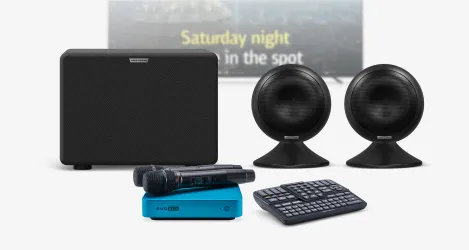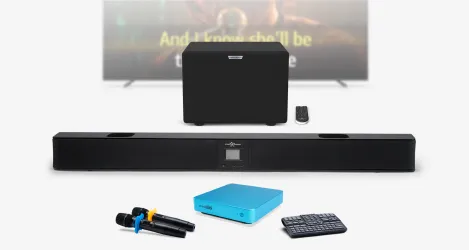
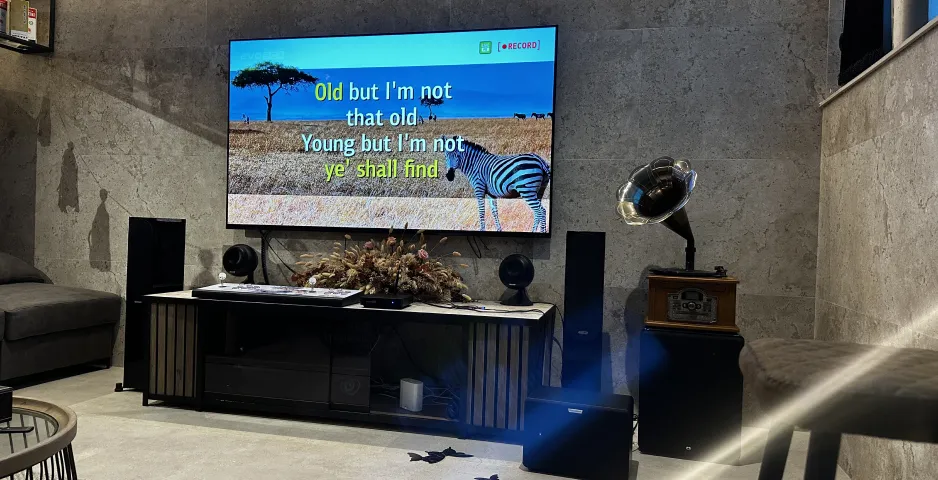
To set up karaoke at home, you need 4 components:
- A professional karaoke system: EVOBOX, EVOBOX Plus or EVOBOX Premium.
- A TV or projector.
- Microphones.
- An audio system.
We have prepared recommendations for each component so that you can maximize the potential of your karaoke system and enjoy singing karaoke at home.
Our recommendations:
1. Karaoke system
The main component of your set. Depending on the EVOBOX model you choose, you will have access to various features and a built-in song catalog to create the perfect party atmosphere. To choose a karaoke system for your home, learn about the differences between the EVOBOX, EVOBOX Plus, and EVOBOX Premium karaoke systems.
2. TV or projector
The system connects to a TV using an HDMI cable*, which is included in the package.
How to choose?
The optimal choice would be a TV with a diagonal of 50–65 inches or more (depending on the size of the room). We recommend using a TV with 4K resolution—it will provide a rich picture and the clearest subtitles possible.
* For technical reasons, the sound from the karaoke system is intentionally not transmitted to the TV speakers via the HDMI cable.
Firstly, due to the peculiarities of digital signal processing in the TV, there is a delay: you will see the image on the screen before you hear your voice from the speakers. It is simply impossible to sing with such a delay.
Secondly, the built-in speakers of TVs are not designed for the specifics of “live” vocals: they cannot cope with sharp peak loads and may simply fail.
3. Microphones
No karaoke party is complete without high-quality microphones. You can use one microphone for solo performances or a pair for duets with friends. A TRS 6.3 (Jack) input connector is used to connect microphones directly to the karaoke system — keep this in mind when choosing a microphone system for karaoke.
👍Our choice
We recommend our SE • 200D wireless microphones. They are ideal for karaoke and provide crystal-clear voice sound without unnecessary wires.
4. Audio system
Connects to the karaoke system using RCA cables (also included in the karaoke system kit). A separate audio system is required for karaoke use.
Key criteria for choosing karaoke speakers
When choosing an audio system, it is extremely important to consider two technical nuances that directly affect sound delay. If these parameters are not taken into account, a critical desynchronization will occur: you will see the subtitles on the screen much earlier than you hear the sound of the composition itself, which will make it impossible to sing in time.
1. Connection type: wired only (RCA-RCA)
Wireless sound transmission technologies (Bluetooth and others) are categorically unsuitable for karaoke. Due to the peculiarities of wireless data transmission, the signal goes through a long process of encoding and decoding, which creates the very lag between the sound and the video sequence.
2. Processing functions (ability to disable Dolby)
If your audio system supports technologies such as Dolby Atmos, Dolby Digital Plus, Dolby TrueHD, etc., make sure they can be completely disabled. These algorithms are designed for movies and require time for digital signal processing, which in live performance inevitably leads to a loss of synchronization between image and sound, as well as microphone delay.
👍Our choice
We recommend EvoSound Bar or EvoSound Sphere audio systems. They are designed to work closely with karaoke systems and specifically for singing, to create the effect of a real concert hall in your home.